
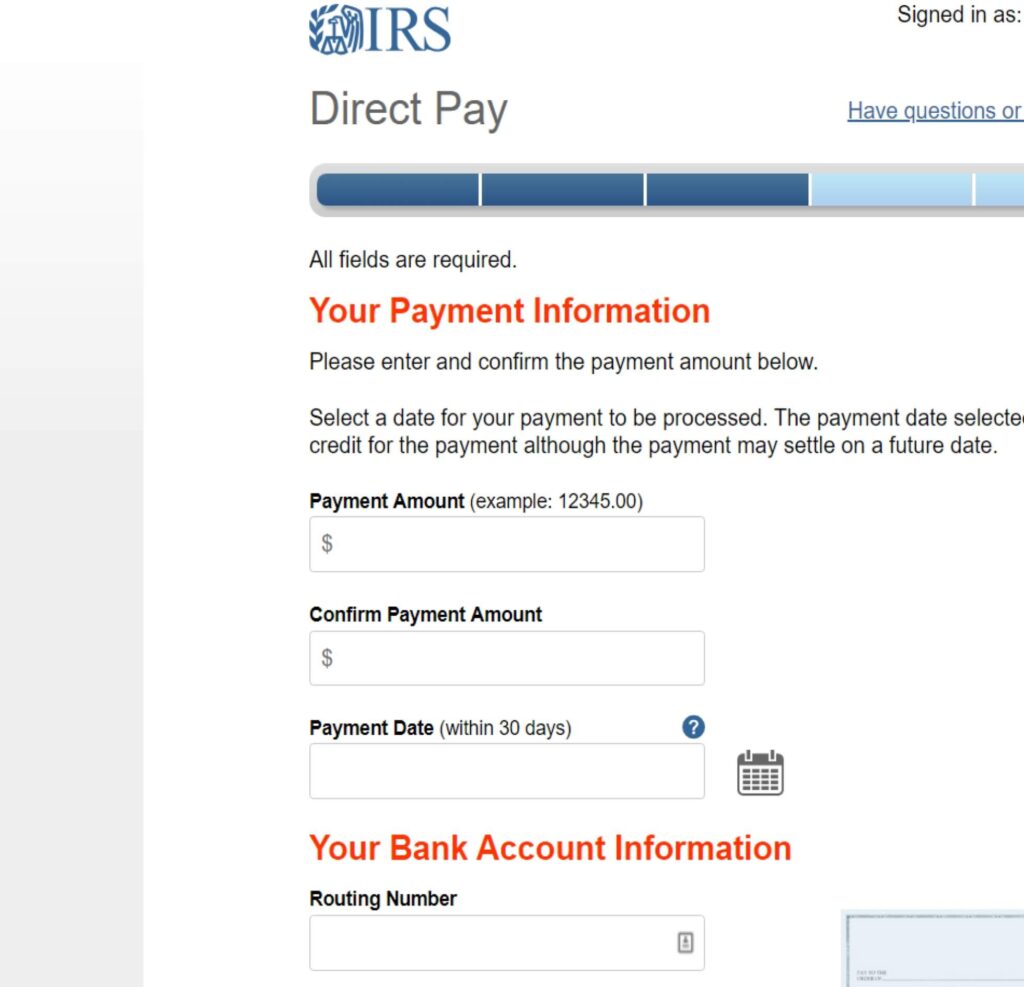
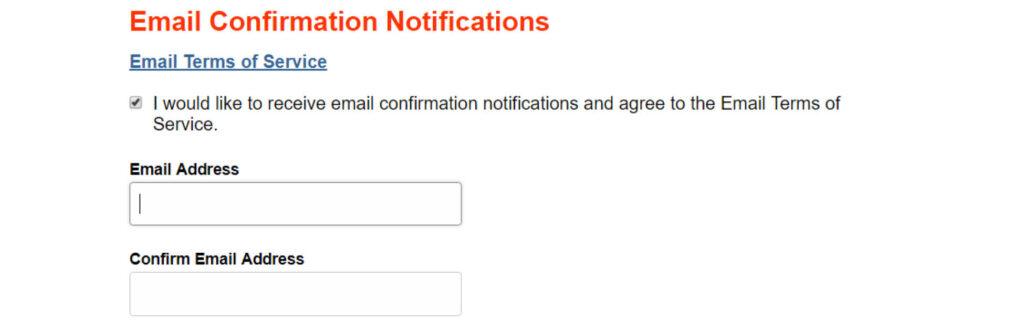
“Verify Identity” is based on the last year filed as with extension payments there is no record of the current year. Therefore use your last year filing info (Single filing or Joint) and your last year address for identity purposes.
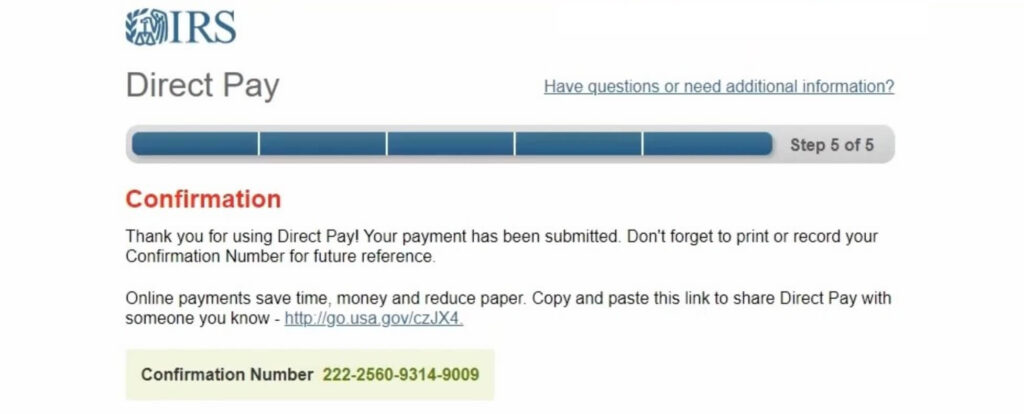
Please ensure you print the last page of the completed form or the payment confirmation page and upload it to your shared folder. Emailed confirmations do not always contain enough information.
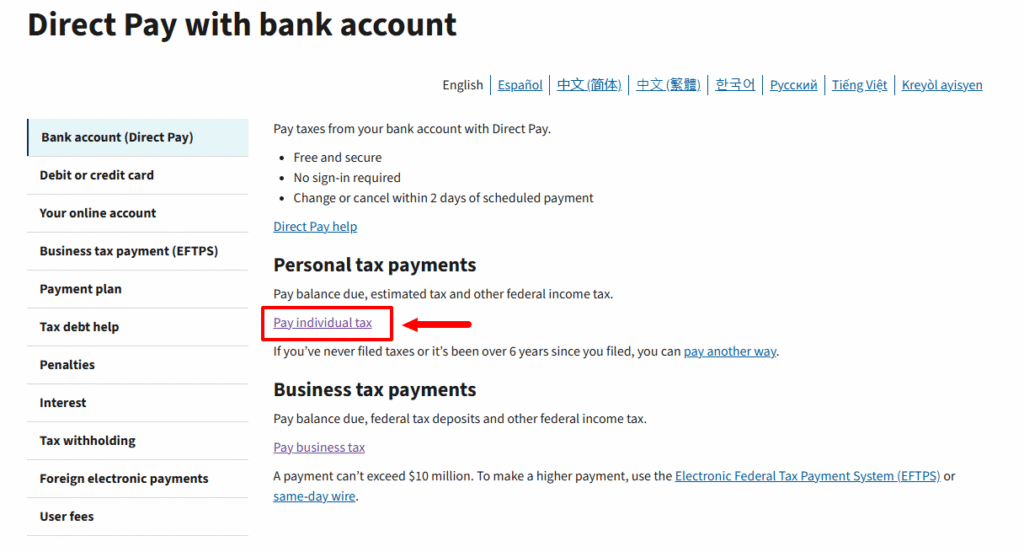
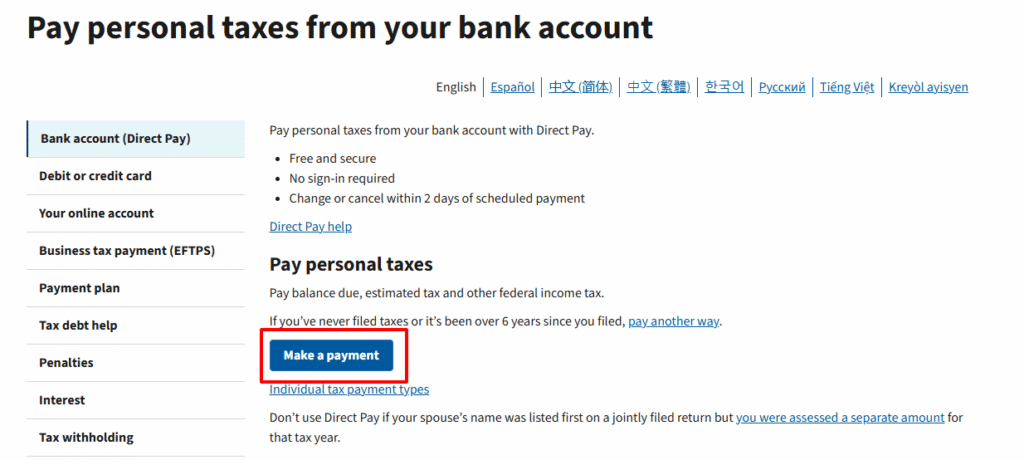
You can search “fed direct pay” on Google, or just visit this link https://www.irs.gov/payments/direct-pay-with-bank-account, click pay individual tax button
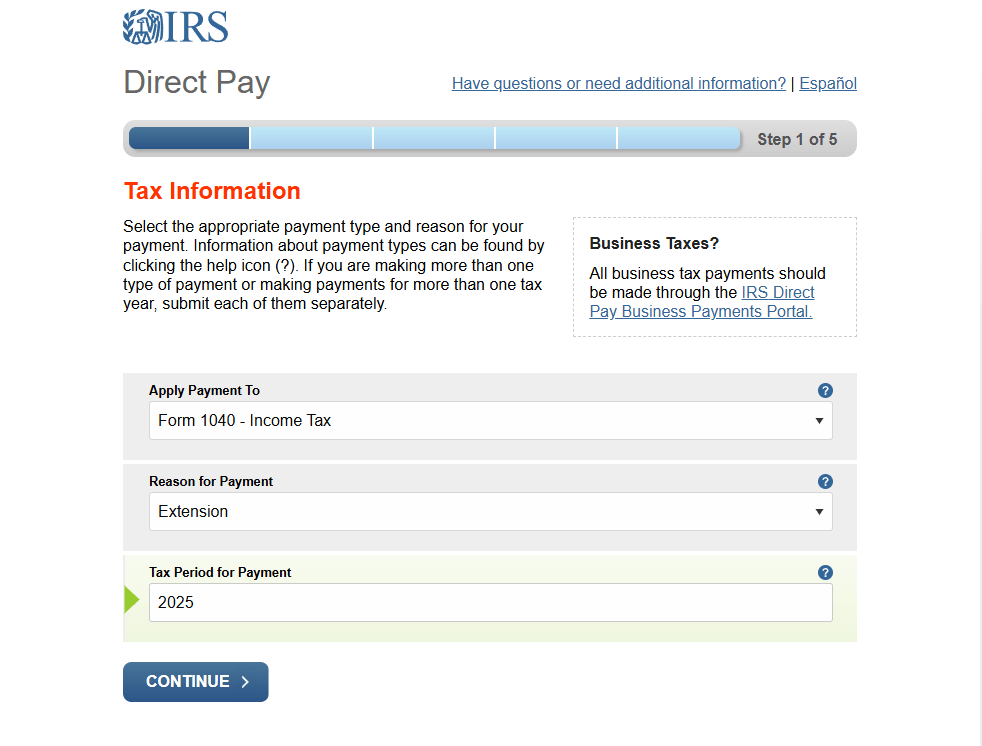
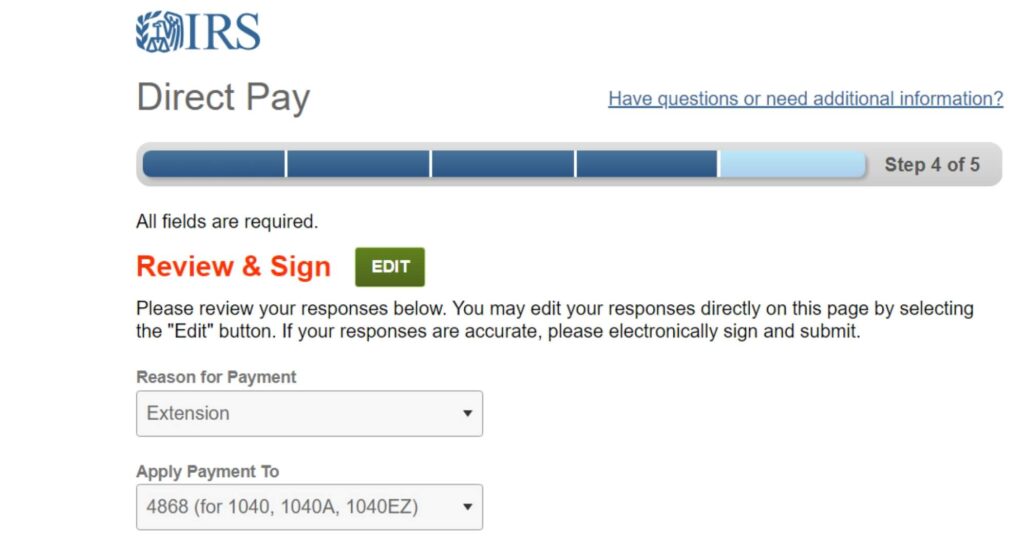
Choose apply payment to “Form 1040 – Income Tax“, and reason for payment to “Extension“, and then fill out the tax period for payment field, after that click continue button.
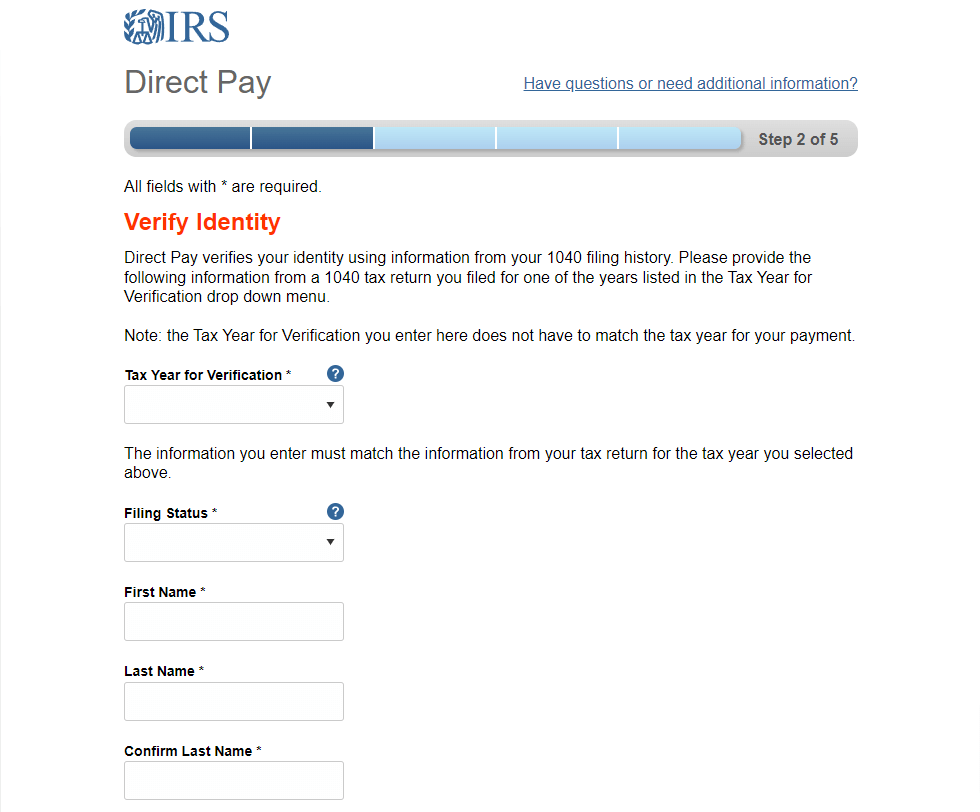
“Verify Identity” is based on the last year filed as with extension payments there is no record of the current year. Therefore use your last year filing info (Single filing or Joint) and your last year address for identity purposes.
Please ensure you print the last page of the completed form or the payment confirmation page and upload it to your shared folder. Emailed confirmations do not always contain enough information.
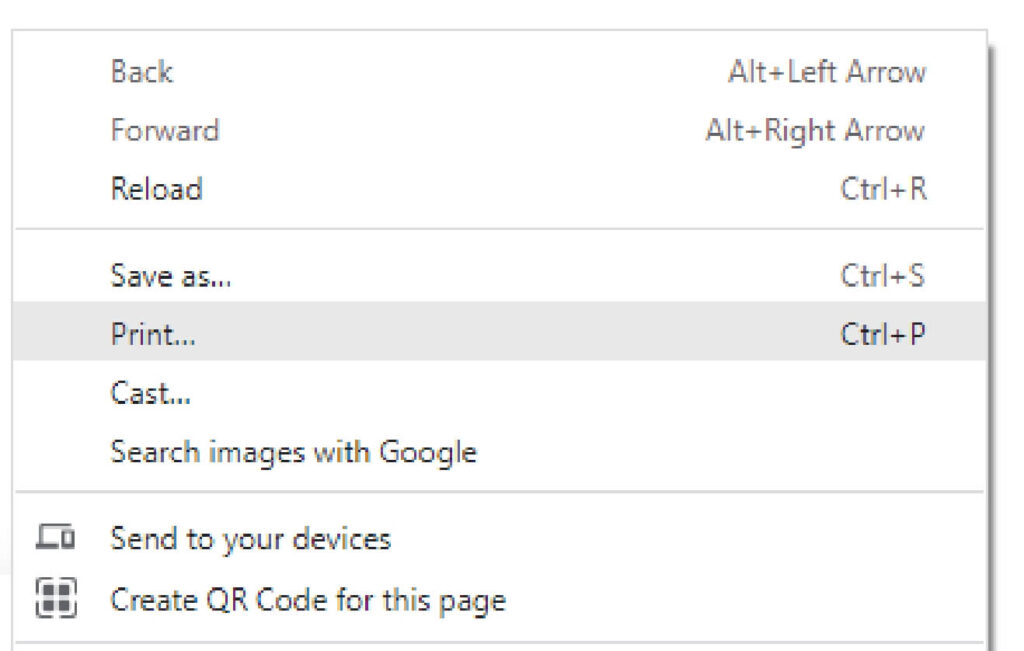
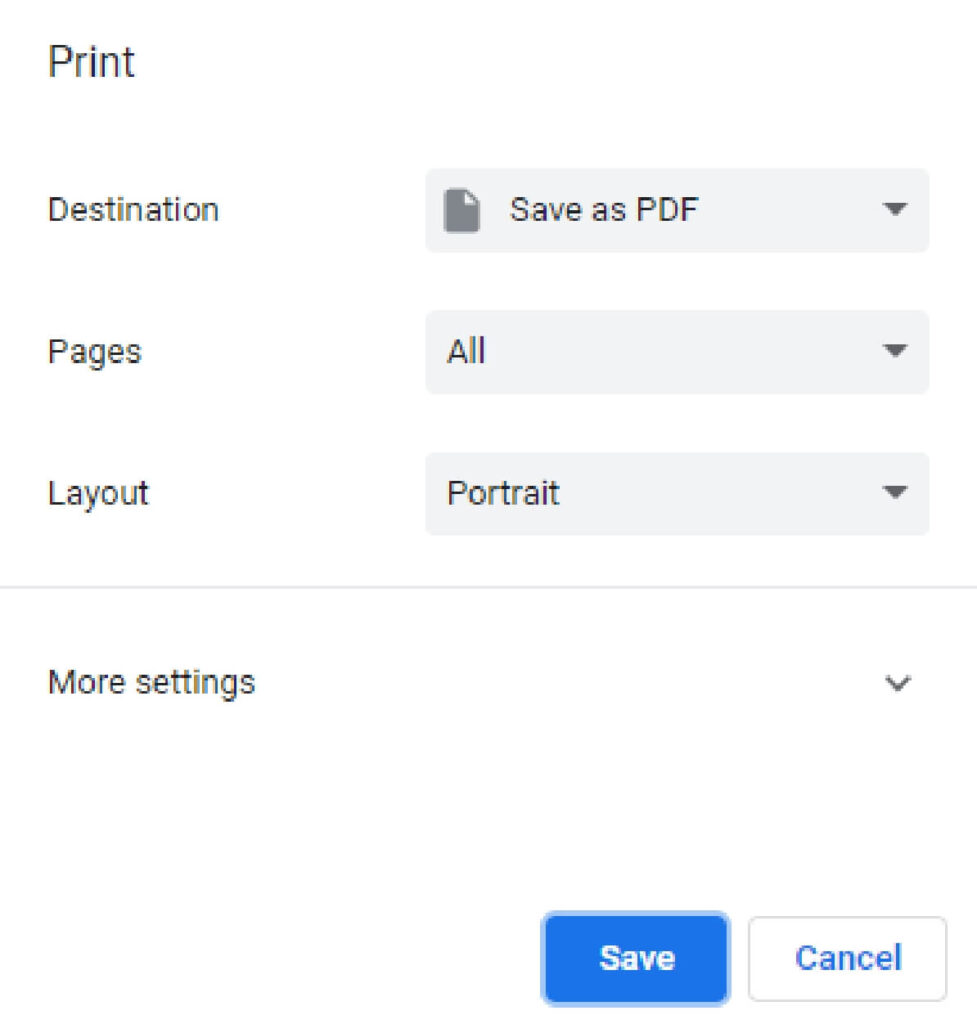
To print in PDF, right click on the confirmation page, select “Print”, and “Save as PDF”.
| Cookie | Duration | Description |
|---|---|---|
| cookielawinfo-checkbox-analytics | 11 months | This cookie is set by GDPR Cookie Consent plugin. The cookie is used to store the user consent for the cookies in the category "Analytics". |
| cookielawinfo-checkbox-functional | 11 months | The cookie is set by GDPR cookie consent to record the user consent for the cookies in the category "Functional". |
| cookielawinfo-checkbox-necessary | 11 months | This cookie is set by GDPR Cookie Consent plugin. The cookies is used to store the user consent for the cookies in the category "Necessary". |
| cookielawinfo-checkbox-others | 11 months | This cookie is set by GDPR Cookie Consent plugin. The cookie is used to store the user consent for the cookies in the category "Other. |
| cookielawinfo-checkbox-performance | 11 months | This cookie is set by GDPR Cookie Consent plugin. The cookie is used to store the user consent for the cookies in the category "Performance". |
| viewed_cookie_policy | 11 months | The cookie is set by the GDPR Cookie Consent plugin and is used to store whether or not user has consented to the use of cookies. It does not store any personal data. |
What are common mistakes individuals make when filing their taxes?
What are common mistakes small businesses make when filing their taxes?